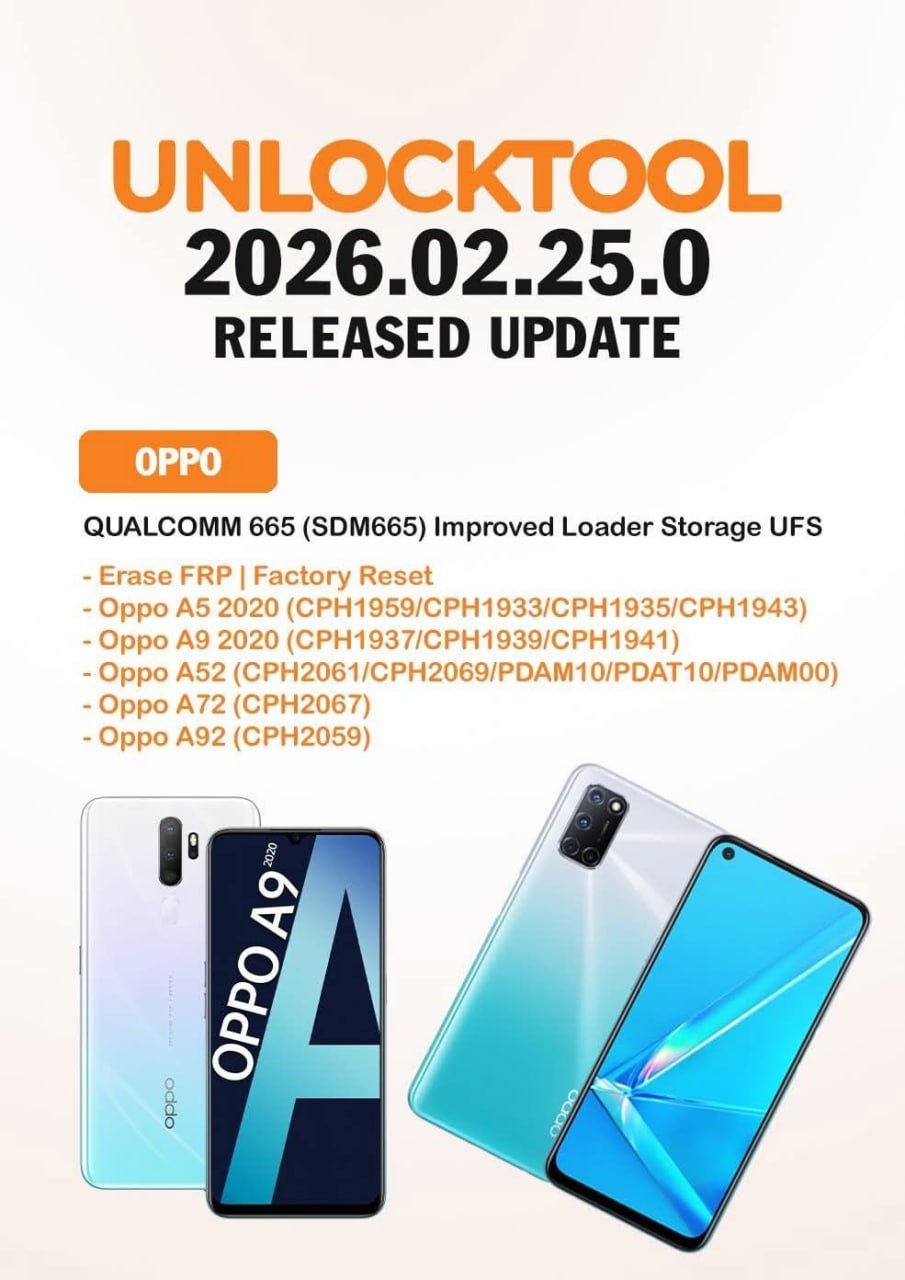
The UnlockTool SDM665 Update is one of the most important releases for mobile repair professionals and advanced Android users working with Qualcomm 665 (SDM665) devices. With improved UFS loader compatibility, enhanced FRP erase functions, and stable factory reset options, this version significantly boosts performance for OPPO and Realme smartphones.
Whether you are a repair shop owner, technician, reseller, or individual user facing FRP lock issues, this guide covers everything you need: features, supported devices, download steps, installation process, pricing, troubleshooting, and best practices.
If you’re looking for a reliable mobile unlock program or a professional-grade phone unlock app, this article will help you understand why this version-specific release is ranking as one of the BestUnlockTool SDM665 Update 2025 solutions.
What is UnlockTool SDM665 Update and Why It Is Needed?
The UnlockTool SDM665 Update is a specialized enhancement within the UnlockTool software ecosystem designed to support Qualcomm Snapdragon 665 (SDM665) chipsets.
Why SDM665 Support Matters
Qualcomm 665 powers many mid-range OPPO and Realme devices. These phones commonly face:
- FRP (Factory Reset Protection) lock
- Pattern/password lock
- System corruption
- UFS storage communication errors
- Software brick after flashing
The OPPO Qualcomm 665 FRP problem is especially common in repair markets. When users forget their Google account credentials after a reset, devices become unusable.
This update introduces:
- Improved SDM665 UFS Loader Fix
- Faster detection in EDL mode
- Stable UnlockTool OPPO Factory Reset option
- Better compatibility with UFS storage variants
For technicians, this means fewer failed operations. For end users, it means quicker device recovery without motherboard-level intervention.
Key Features of UnlockTool SDM665 Update (Latest Version)
The latest UnlockTool SDM665 Update release focuses on stability, compatibility, and advanced servicing capabilities.
1. Improved UFS Loader Compatibility
- Enhanced communication with UFS storage
- Reduced boot errors
- Stable flashing support
- Optimized for SDM665-based OPPO devices
This SDM665 UFS Loader Fix ensures higher success rates during servicing.
2. FRP Erase Without Data Complexity
- OPPO Qualcomm 665 FRP removal
- Secure and safe Google lock bypass
- One-click FRP operation (for supported models)
Popular use cases:
- OPPO A5 2020 FRP Unlock
- OPPO A9 2020 FRP Tool operation
- Realme Qualcomm 665 Unlock
3. Factory Reset via EDL Mode
The UnlockTool OPPO Factory Reset feature allows:
- Full reset without entering Android
- Removal of screen lock
- Fast boot restoration
4. IMEI Repair & Advanced Services
For authorized technicians (where legally permitted):
- IMEI repair (region-dependent legality)
- Baseband restore
- Security partition repair
- NV data backup and restore
5. Version-Specific Optimization
This version is often searched as:
- BestUnlockTool SDM665 Update 2025
- UnlockTool SDM665 Update update
Because Google tends to rank version-specific solutions faster, this release is gaining rapid traction among technicians.
Supported Devices and Brands
The UnlockTool SDM665 Update primarily targets Qualcomm 665-based models, especially OPPO and Realme devices.
OPPO Models
- OPPO A5 2020 (CPH1959 / CPH1933 / CPH1935 / CPH1943)
- OPPO A9 2020 (CPH1937 / CPH1939 / CPH1941)
- OPPO A52 (CPH2061 / CPH2069 / PDAM10 / PDAT10 / PDAM00)
- OPPO A72 (CPH2067)
- OPPO A92 (CPH2059)
This is why the UnlockTool A52 A72 A92 Support update is highly demanded in Asian and Middle Eastern markets.
Realme Devices
Several Realme Qualcomm 665 Unlock operations are supported, depending on firmware and security patch level.
Before performing any operation, always confirm:
- Exact model number
- Security patch version
- Storage type (UFS vs eMMC)
Download and Installation Process
System Requirements
- Windows 10/11 (64-bit recommended)
- Stable internet connection
- USB drivers installed
- Qualcomm drivers configured
- Minimum 8GB RAM (for professional use)

Step-by-Step Installation Guide
- Download the latest UnlockTool SDM665 Update version from the official UnlockTool website.
- Disable antivirus temporarily (if required).
- Extract the setup file.
- Run installer as Administrator.
- Complete installation.
- Launch the software.
- Log in with your registered credentials.
How to Register and Activate
To activate:
- Purchase subscription from official reseller.
- Receive login credentials.
- Open UnlockTool.
- Enter username and password.
- Activate device binding (if required).
- Start using SDM665 services.
For bulk licensing (repair shops), multi-PC activation may require reseller authorization.
How to Use UnlockTool SDM665 Update
This section explains usage for both individual users and technicians.
For Individual Owners (Basic Operations)
Use case: OPPO Qualcomm 665 FRP removal.
Steps:
- Power off device.
- Enter EDL mode.
- Connect via USB.
- Open UnlockTool.
- Select brand → OPPO.
- Choose model.
- Click FRP Erase.
- Wait for completion.
- Reboot device.
For Professional Technicians
The UnlockTool SDM665 Update provides advanced service options:
- Factory reset in EDL
- Security repair
- Partition backup
- IMEI restore (if legal in your country)
IMEI Repair and Other Services
Important:
- Always verify local laws before IMEI modification.
- Keep original QCN backup.
- Never use generic IMEI numbers.
Professional workflow:
- Backup NV data
- Repair partition
- Restore original IMEI
- Test network
Comparison with Other Tools
| Feature | UnlockTool SDM665 Update | Generic Phone Unlock App | Other Mobile Unlock Program |
|---|---|---|---|
| SDM665 Dedicated Support | Yes | Limited | Partial |
| UFS Loader Optimization | Yes | No | Basic |
| OPPO Qualcomm 665 FRP | Stable | Risky | Inconsistent |
| EDL Mode Support | Yes | Rare | Some |
| Professional IMEI Tools | Yes | No | Limited |
| Subscription Model | Yes | Varies | Yes |
The UnlockTool SDM665 Update clearly focuses on chipset-level optimization rather than generic unlocking.
Safety Tips and Legal Considerations
Before using any mobile unlock program:
- Use only on devices you own or are authorized to repair.
- Verify local laws regarding IMEI repair.
- Avoid bypassing stolen devices.
- Always create backups before modification.
- Keep antivirus exceptions limited to tool directory.
For shop owners:
- Maintain job records.
- Collect customer ID.
- Issue service receipts.
Troubleshooting Common Errors
1. Device Not Detected
Solution:
- Install Qualcomm drivers.
- Try different USB port.
- Use original cable.
2. Sahara Fail Error
- Reboot PC.
- Re-enter EDL mode.
- Reinstall drivers.
3. Loader Authentication Failed
- Update to latest UnlockTool SDM665 Update version.
- Confirm correct model selection.
4. FRP Not Removed
- Verify patch level.
- Retry with internet enabled.
- Restart software.
Pricing and Subscription Plans
UnlockTool typically offers:
- 3-Month Plan
- 6-Month Plan
- 12-Month Plan
- Yearly Renewal Packages
Prices vary by reseller and region.
Professional technicians often choose yearly plans for better ROI.
If you handle:
- OPPO A5 2020 FRP Unlock frequently
- OPPO A9 2020 FRP Tool services
- Realme Qualcomm 665 Unlock operations
Then a long-term plan is cost-effective.
FAQs – UnlockTool SDM665 Update
1. Is UnlockTool SDM665 Update safe?
Yes, when downloaded from official sources and used correctly.
2. Does it support OPPO A52, A72, A92?
Yes, UnlockTool A52 A72 A92 Support is included in the latest build.
3. Can beginners use it?
Basic FRP operations are simple, but technicians should handle advanced features.
4. Does it require internet?
Yes, login and some operations require active internet.
5. Is it better than a free phone unlock app?
Yes, it provides chipset-level support and professional-grade stability.
Final Thoughts – Download and Get Started Today
The UnlockTool SDM665 Update is currently one of the most reliable solutions for Qualcomm 665-based OPPO and Realme devices. With its improved SDM665 UFS Loader Fix, stable OPPO Qualcomm 665 FRP operations, and professional-grade servicing tools, it stands out as a powerful mobile unlock program.